

Our client is a commercial HVAC and mechanical services contractor in Queensland that runs its business on Simpro. We first put Power BI on top of Simpro, then went a step further: a custom app on live Simpro jobs and quotes, where the key account managers manage every open quote on one screen, changes are saved straight back to Simpro, and the team forecasts what every job will invoice.
At a glance
- Before
- Quotes and forecasts managed in Excel workbooks linked to Power BI, and every quote updated one at a time in Simpro
- What we built
- A custom quotes and job forecasting app on live Simpro data, hosted in Azure
- Live
- Jobs and quotes refresh from the Simpro API every time the app opens
- Updates
- Quote status and expected invoice values updated directly from the app, back to Simpro
- Used by
- Four key account managers day to day, and the service general manager in the weekly review
The challenge
Power BI already gave the business a clear view of Simpro: job profitability, forecasting, quote and sales performance, technician utilisation and forward loading, scheduling and capacity.
Two jobs still lived in Excel. To manage the quote pipeline and the revenue forecast, the team had built their own workbooks, linked to the Power BI semantic model. They did the job, but they were still spreadsheets, separate from Simpro itself. We used Microsoft Fabric to capture the data from those workbooks so it could be reported in Power BI, but that was a workaround rather than the answer.
Quotes are created in Simpro, and that stays the same. But managing the pipeline means keeping three things current on every open quote: when it is likely to be accepted, how likely it is, and its status. In Simpro, that meant opening each quote in turn. And in the weekly quote review, the service general manager and the four key account managers needed to see every quote as it stood at that moment, and change it there and then.
What we built
A custom app, hosted by us in Azure, with two parts: quotes and forecast. It is the evolution of the team's own Excel workbooks.
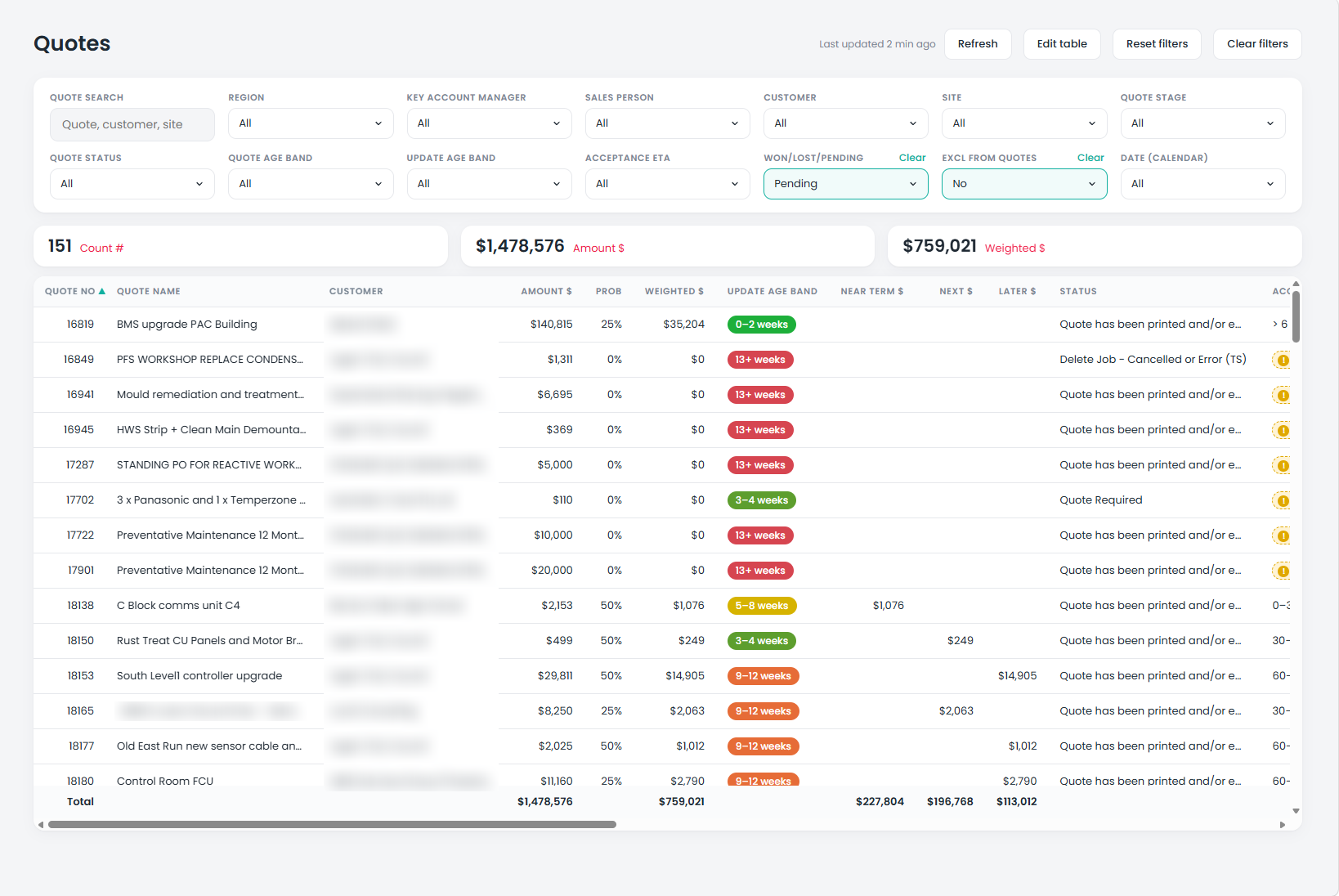
Quotes, live from Simpro. Every time the app opens, it refreshes the quotes from the Simpro API, so everyone starts from the current position. Filter it any way you need, and the totals follow.
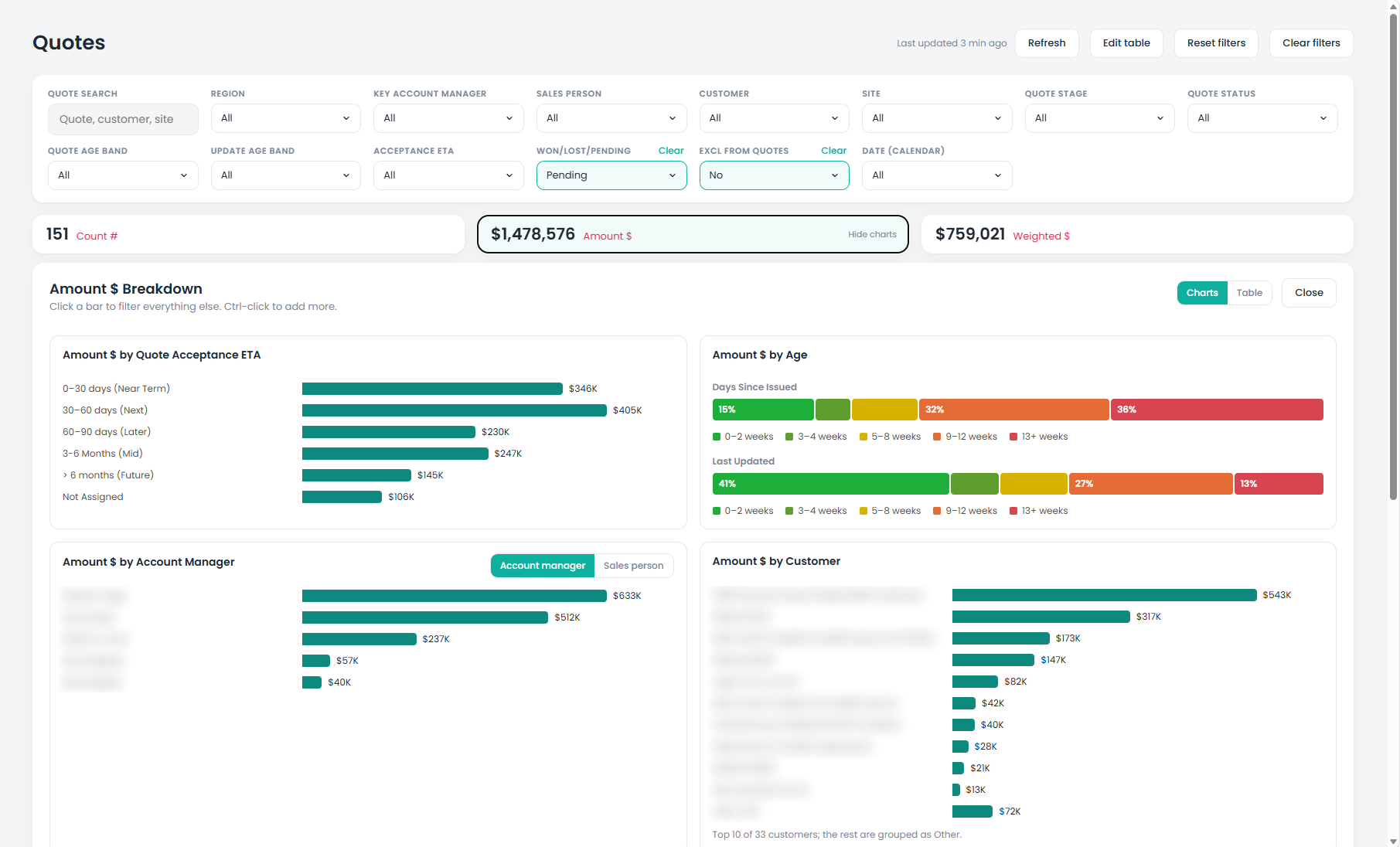
Charts that work like Power BI. The pipeline can be broken down by expected acceptance, age, account manager or salesperson, and customer. The charts cross-filter just as they would in Power BI: click a bar and every other chart, the totals and the table filter to it, and Ctrl-click adds more. We mirrored the Power BI experience, so the app feels familiar to anyone who already uses the reports.
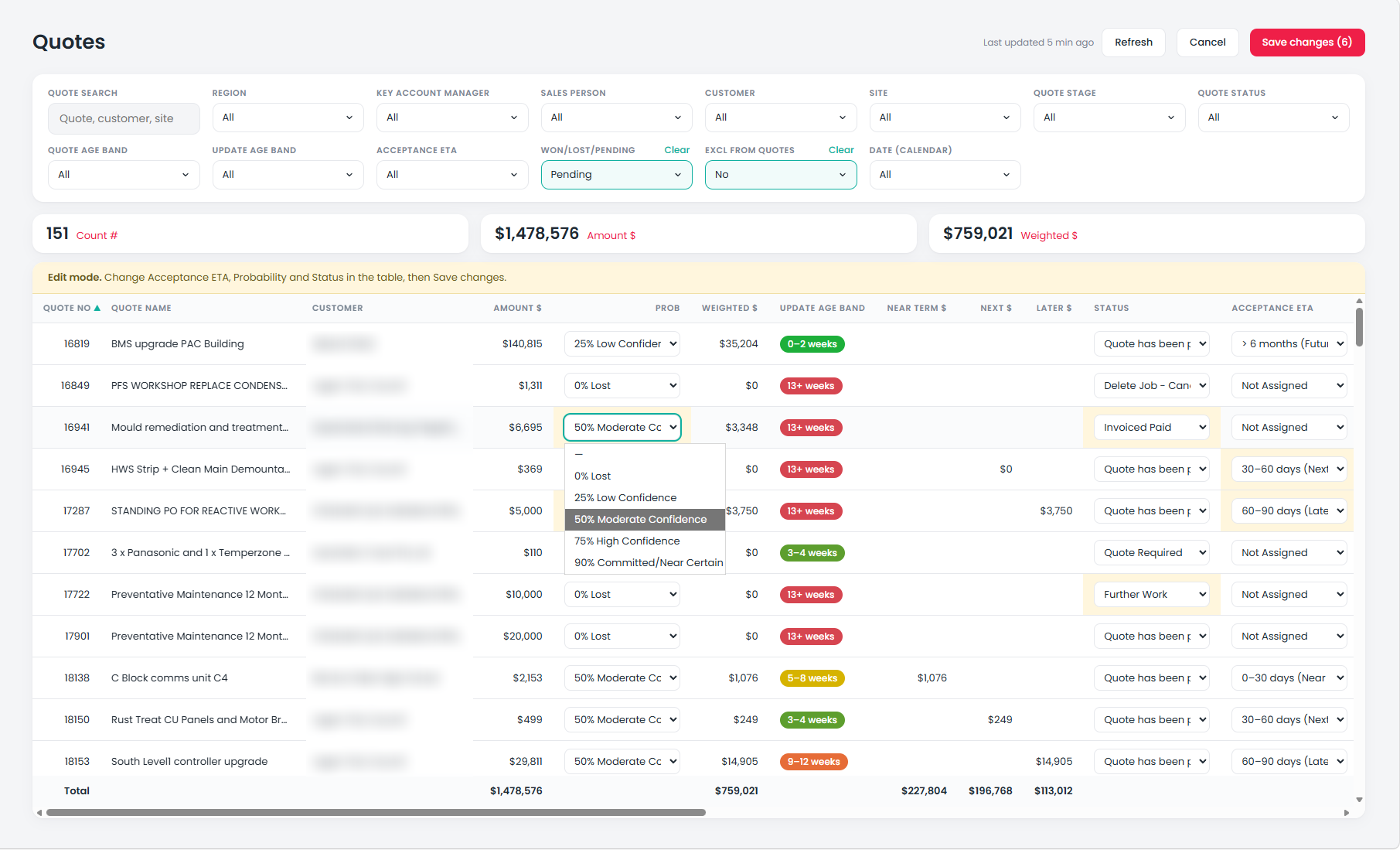
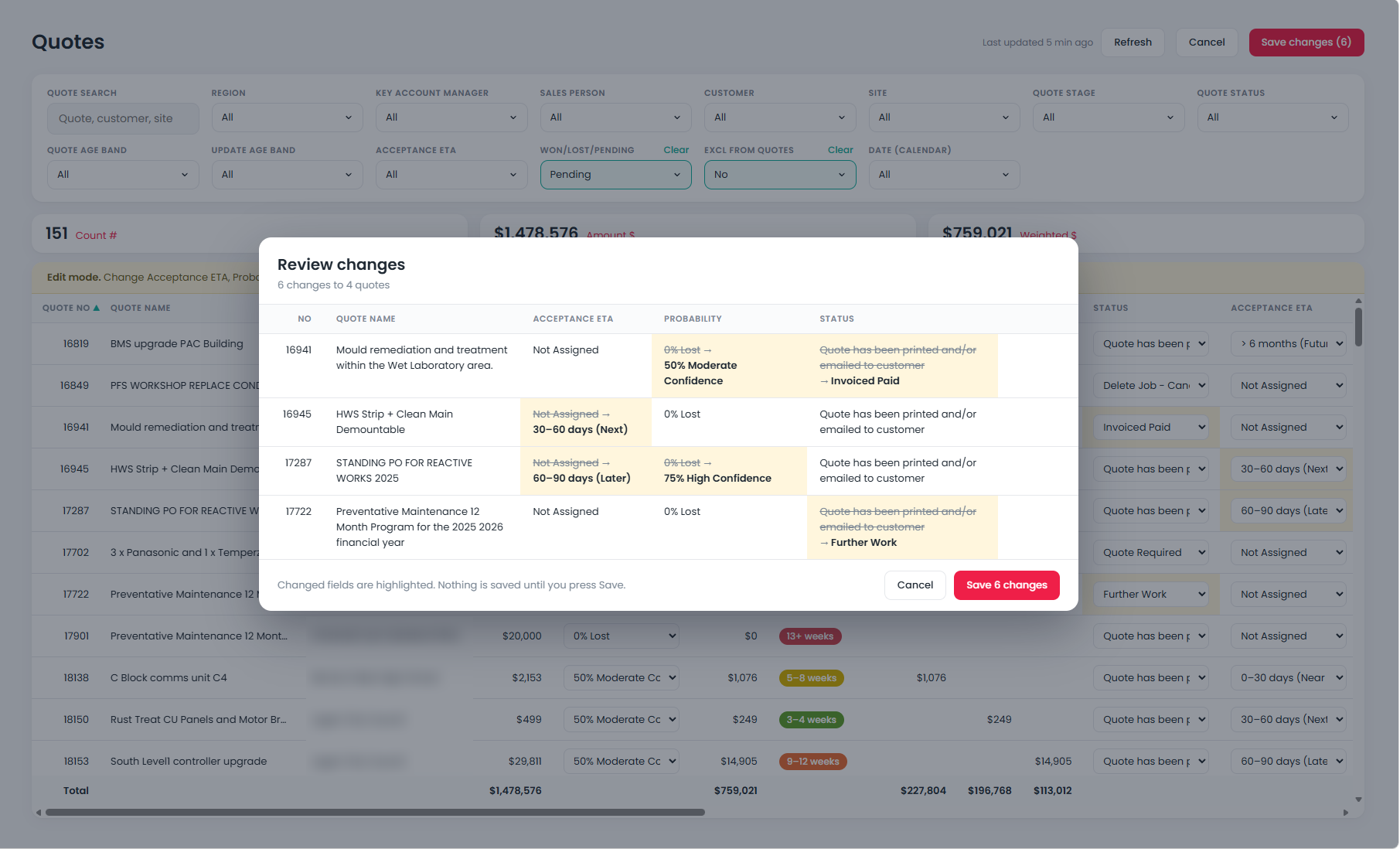
Update many quotes at once. In edit mode, the acceptance date, probability and status can be changed for as many quotes as needed, straight in the table. Before anything is saved, a review screen lists every change, old and new, and only then are the changes written back to Simpro. It is far quicker than opening each quote in Simpro, and it works just as well live in the meeting.
Job forecasting. For each job, live from Simpro, the team sets what they expect to invoice this month and later, and the values are saved straight back to Simpro. Estimates for future work that is not yet scheduled are added too. Together that gives a prediction of revenue and gross margin.
History in Fabric. Everything entered in the app is also stored in a lightweight Microsoft Fabric deployment, along with snapshots of the forecast and the quote pipeline. So the business has both the current forecast position and every historic snapshot, and can see how both have moved over time.
How it's used
Day to day, the key account managers keep their open quotes up to date in the app rather than in Simpro. Quotes are still created in Simpro as normal; the app is where the pipeline is managed.
In the weekly review, the service general manager and the key account managers work from the same screen. The quotes are current when the meeting starts, and the changes they agree are saved to Simpro before it ends, rather than noted down to update later.
Power BI and a custom app
Power BI and the app now do different jobs. Power BI is for review and analysis: job profitability, utilisation, capacity and the trends behind them. The app is for day-to-day operations, reading live from Simpro and writing changes back. The key account managers no longer use Power BI at all, because everything they need is in the app.
It is the same approach we took for our own sales and marketing.